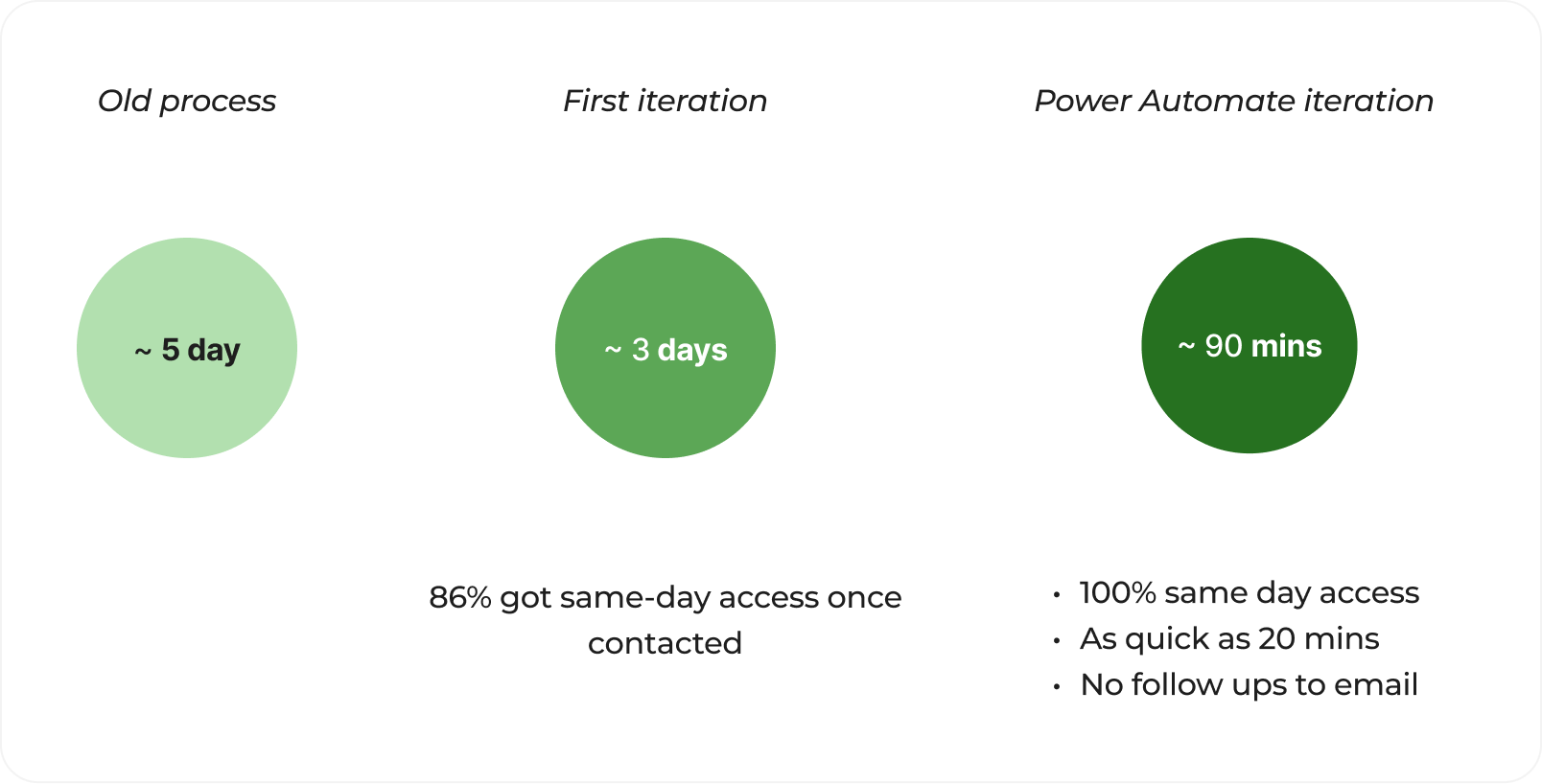
Reduced licence request time from ~5 days to 90 mins
PROBLEM
Accidental requests for Figma seats created friction and delays for genuine cases
SCOPE
Contextual Inquiry, Journey Mapping, Impact Matrix, Content Design, Power Automate workflow
CONSTRAINTS
Risk of cost leakage, urgent stabilisation, existing behaviours embedded
OUTCOME
Automation on requests with iterated form and email to empower decision making; 5 day to 90 min improvement
PROBLEM STATEMENT
Delays caused by the ‘noise’: accidental Figma licence requests
Licence requests were creating operational noise and delays:
~20 requests a week across multiple channels
85% accidental or misinformed
Processing time averaged 5 days
Unapproved urgent access led to £5,700 in avoidable cost
The priority was to reduce friction and overhead by enabling informed requests before submission
RESEARCH & INSIGHTS
Quick interviews showed the impact to users
With limited time constraints and resources, I ran informal interviews with users who had recently requested licences. Through feedback I gathered users and managers were unclear on licence types, costs, temporary seats and approval steps.
This translated into them feeling friction in
how to request,
what to request,
if it would be approved,
and how long it would take
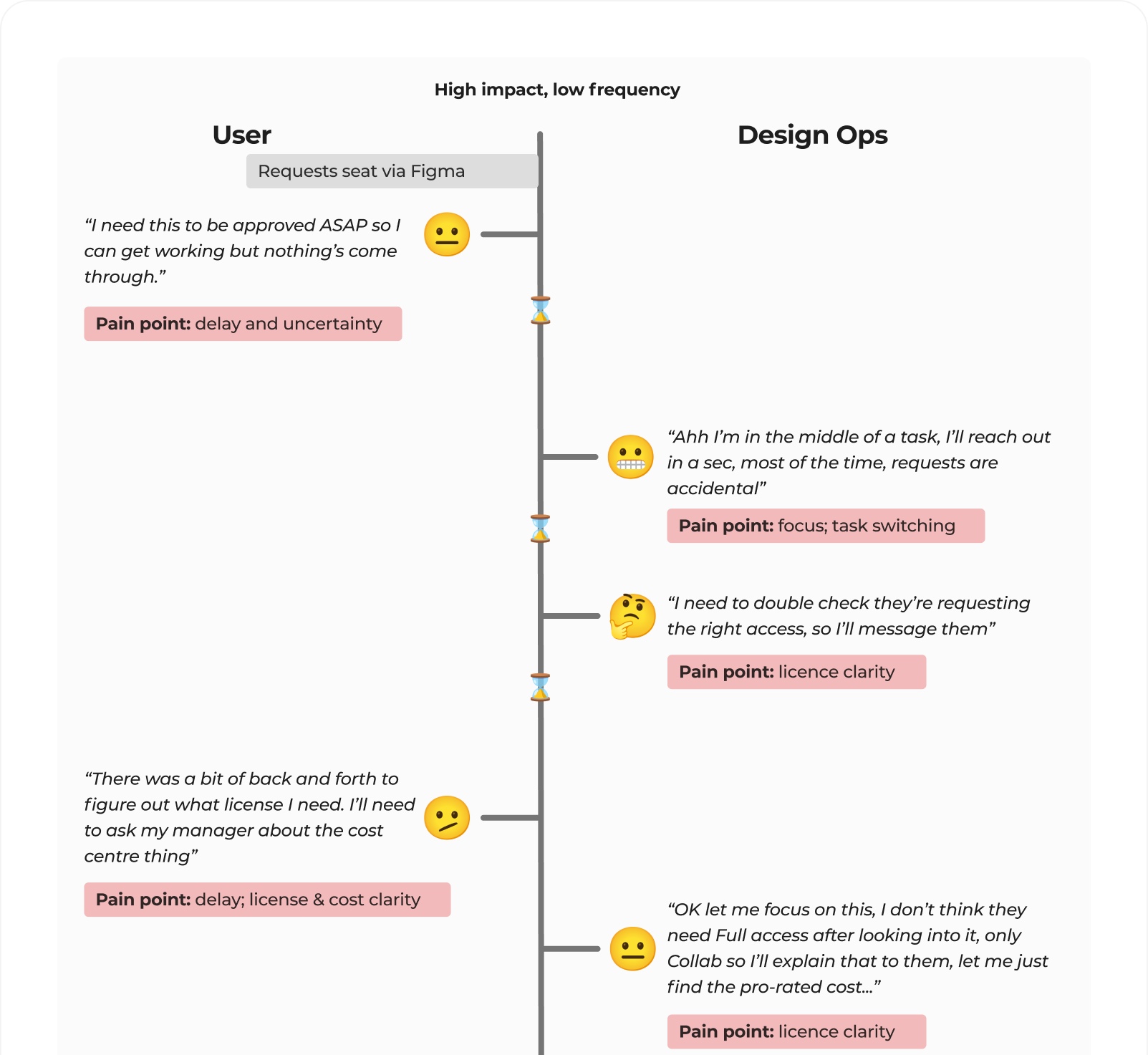
Excerpt: Segment of a user journey with feedback gathered from a requestor
ANAYLSIS & PRIORITISATION
Reducing confusion at the point of request
Several options were considered to improve clarity at the point of request. These were prioritised based on user impact and speed of implementation. Additionally, the business were already exploring automated SCIM provisioning based on role, meaning only an interim solution was required.
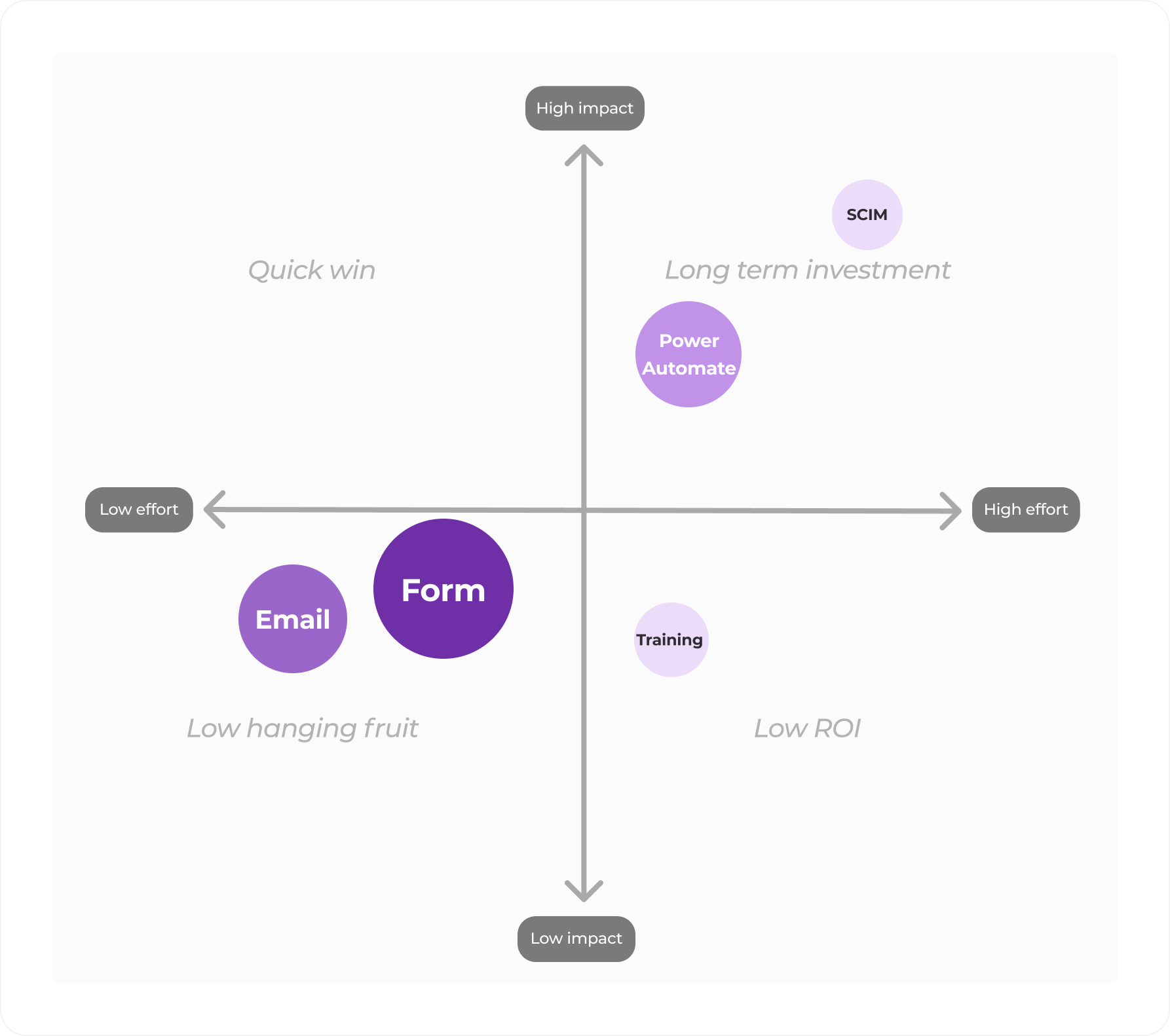
Given the volume of requests, I decided to implement a lightweight solution - clear guidance and a structured form - to reduce confusion quickly, with automation identified as a longer-term improvement.
Excerpt: An effort / impact matrix highlighting the value of different options to users
ITERATING DESIGNS
The content aimed to educate and empower decision making
I created an initial email and form to provide clarify the request process. When some users continued to ask follow-up questions, I iterated on the content to support better decision making. The third iteration included adding all critical information (such as cost) in the form, as the link became the source of truth and emails were bypassed.
Key areas of improvement, across email and form, included:
Recognition over recall (e.g. seat type, role, cost centre details)
Clear, simple tone with direct action
Clear expectations set for response times
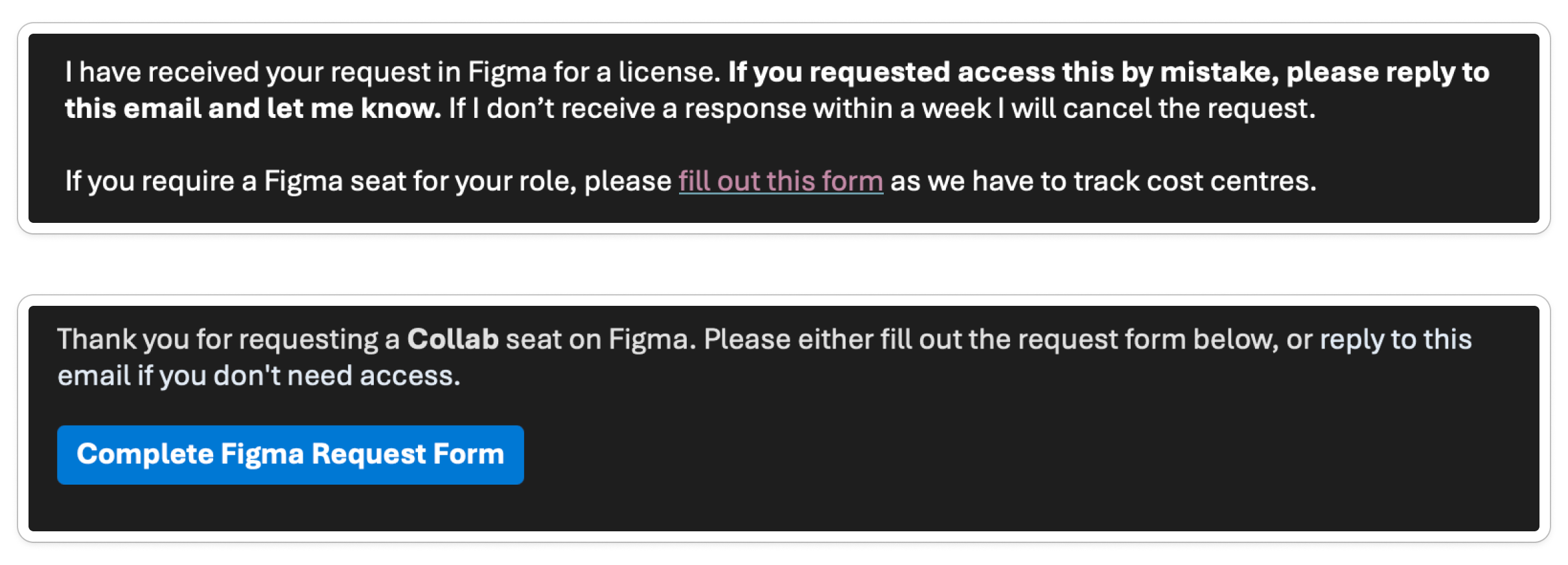
Excerpt: Email intro - v1 (top) to v2 (bottom)
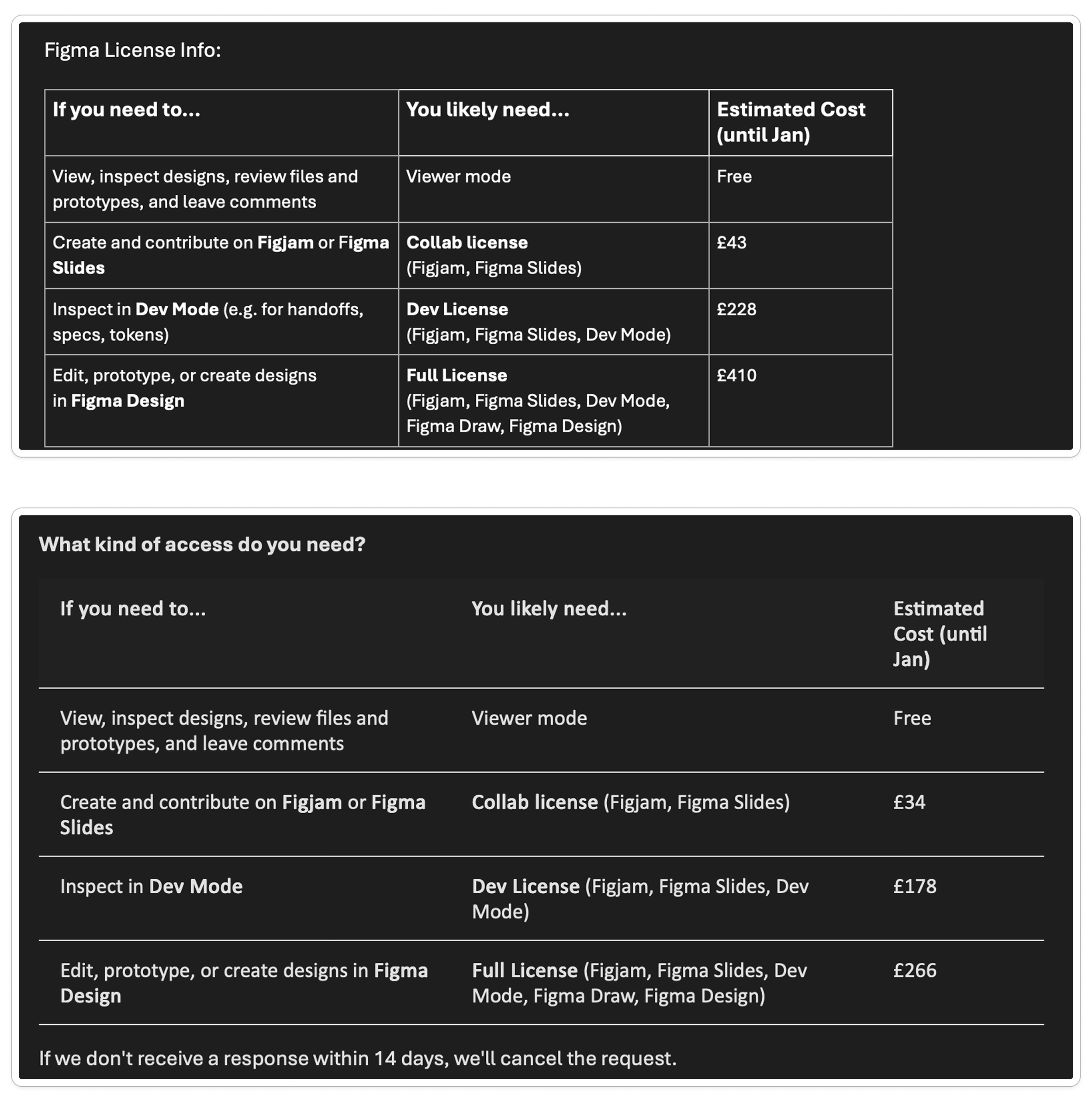
Excerpt: Email table - v1 (top) to v2 (bottom)
OUTCOMES
Automation reduced handling time for genuine requests
Measuring time to approval showed a clear improvement across each iteration, demonstrating how reducing confusion first and then introducing automation on a clear journey can significantly improve internal user journeys.
Excerpt: Approval time reduced across iterations
Once the content and request journey were stabilised, I introduced automation through Power Automate to notify users with the email content immediately. This ensured genuine requests could be approved faster, while reducing time spent triaging accidental submissions.
USER FEEDBACK
User feedback reflected improved decision making
Responses to the updated email and form showed users correctly identifying the level of access they needed, reducing accidental licence requests.
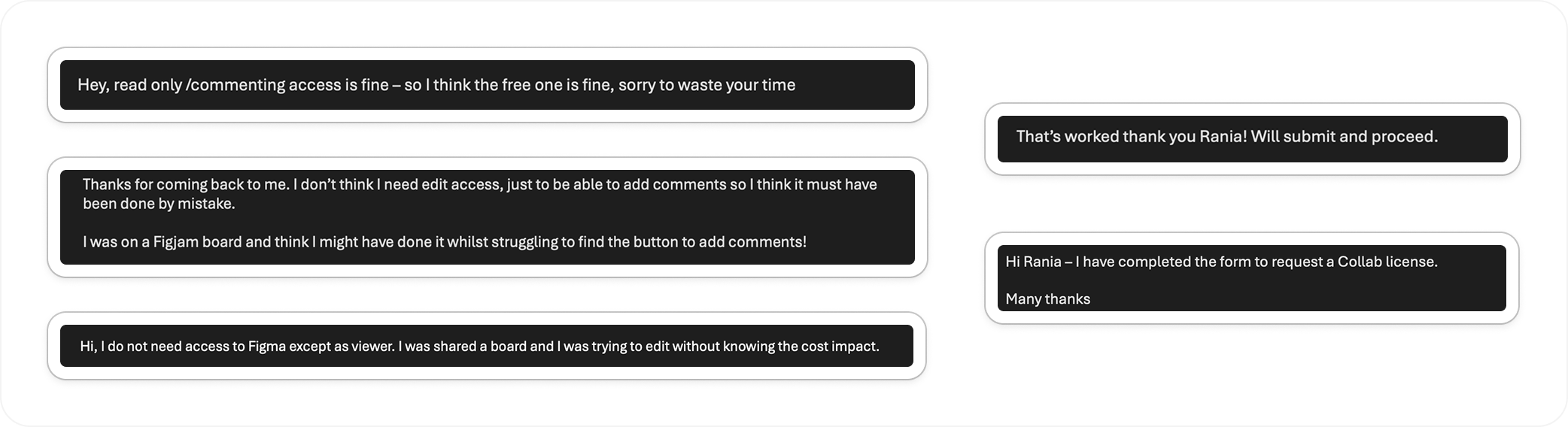
Excerpt: Responses to emails showing clarity of users from email and form
Simplifying deep navigation in workout tracking app
Identified and redesigned key usability issues through heuristic and competitor analysis on app Boxmate